I built Splash, a desktop app for running several coding agents at once. Claude Code in one session, Codex in another, Gemini CLI in a third, each working in its own git worktree, with one place that tells you which of them is waiting for you.
It runs on macOS, Windows and Linux, it's free, and the source is MIT licensed.
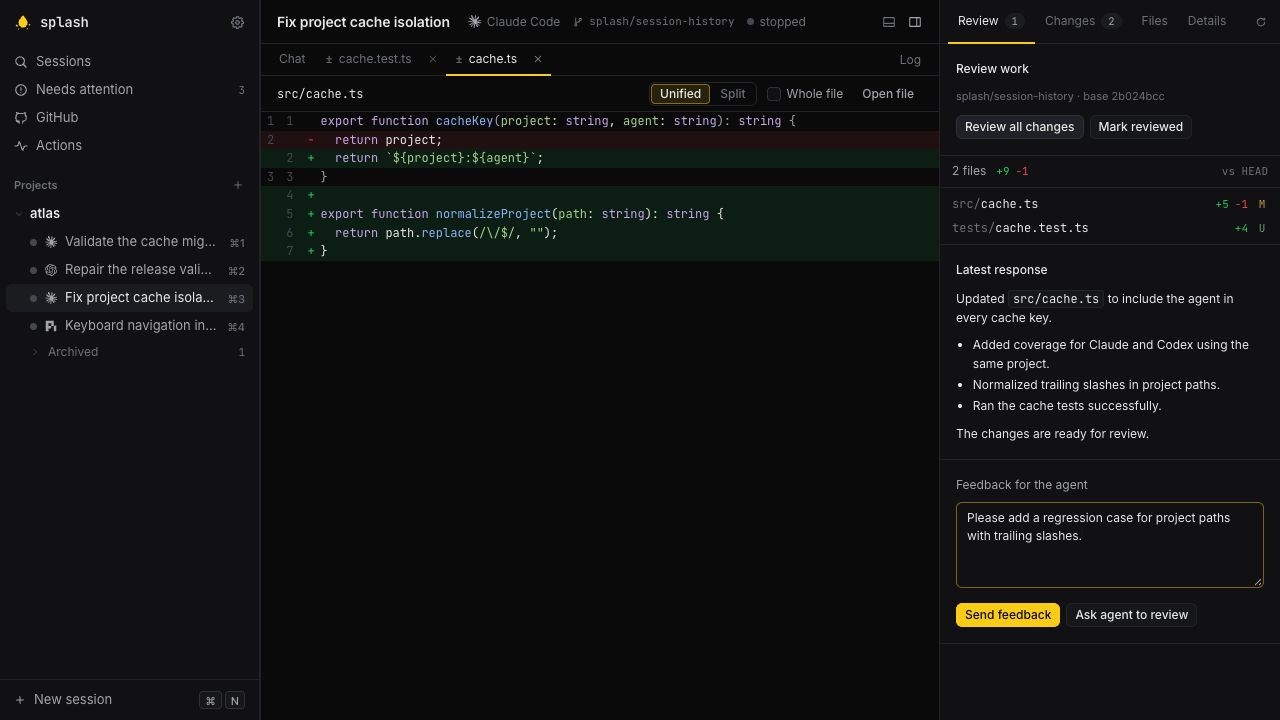
The Review tab after an agent finishes: the changed files, the agent's last message, and a box to send it feedback. Demo project and fixture agents.
One Protocol for Every Agent
Splash doesn't scrape terminal output. It speaks the Agent Client Protocol (ACP), the JSON-RPC protocol editors use to talk to coding agents. Splash starts the agent as a child process in the session folder, in its own process group, and talks to it over stdin and stdout. Messages, tool calls, diffs, plans and permission requests arrive as structured updates, and that's what the transcript renders.
Some CLIs speak ACP themselves (copilot --acp, glue acp). For the rest, Splash runs a pinned npm adapter around the
vendor's own CLI. The registry has launch commands for 20 agents. Splash never installs them or signs in for you: you
install and log in to each CLI yourself, and Splash uses that login. A CLI on your PATH isn't proof that it works, so
each agent's settings page runs a real ACP handshake as a connection test, without sending a prompt.
Splash also gives agents no file-system or terminal capabilities. The agent edits files itself, and Splash follows the results through git and a file watcher.
Worktrees and One Queue
Each session is one agent in one project folder. It runs in the folder itself or in a git worktree, a second checkout of
the repository on its own splash/… branch, so two agents editing the same files don't get in each other's way.
Archiving a session removes its worktree and keeps the branch.
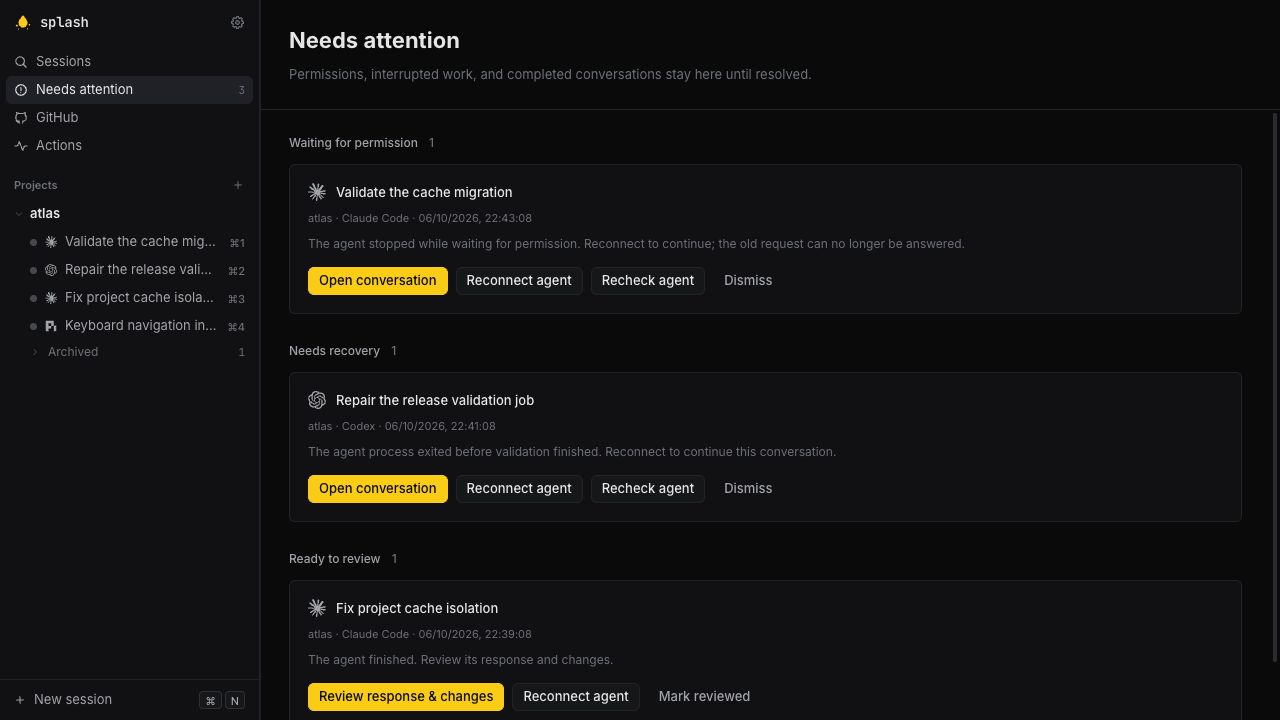
With several agents running, the hard part is knowing which one needs you. Permission requests, crashed agents and finished turns all land in Needs attention, a queue that survives restarts. Permission requests can also be answered right in the transcript with the 1–9 keys. When an agent finishes, the Review tab shows what changed, anything that failed, and its final answer side by side.
History, GitHub and a Server
Agents keep their own history. Splash asks each agent for its saved sessions over ACP's session/list, including ones
started outside Splash, lets you preview them, and adds the ones you want to its library. It doesn't parse vendor history
files. Saved transcripts get full-text search, archived ones included.
The GitHub view runs on the gh CLI. It lists issues, pull requests and Actions runs across your repositories, and can
start an agent session on one in a fresh worktree.
splash-server is Splash without a window. Run it on the machine with your code and agent logins, open an SSH tunnel,
and use Splash in a browser. Close the laptop; the agents keep working.
splash-server --name devbox ~/code/my-project

# from your laptop
ssh -N -L 127.0.0.1:4780:127.0.0.1:4780 devbox
The server only listens on loopback and asks for a token it keeps in its data folder. It's a single-user service meant for SSH forwarding, not a public deployment.
How It's Built
Splash is Rust with a Svelte 5 frontend in a webview, built on Elyra. Each
running agent gets a session actor that does the ACP handshake, handles prompts, cancels and permission answers, and
builds the transcript from the agent's session/update notifications. Finished entries, plus a checkpoint of streaming
ones about every two seconds, go to a single SQLite writer, which also keeps the search index. Quitting Splash ends every
agent and shell process group it started.
Installers for macOS, Windows and Ubuntu are on the download page. To build it yourself:
git clone https://github.com/HelgeSverre/splash.git
cd splash
just setup
just run ~/code/some-repo
Splash is early: v0.2.1, with native CI on macOS, Windows and Ubuntu. Get it at splash.computer. The MIT-licensed source is at github.com/HelgeSverre/splash.